

Send events to Shopify Flow
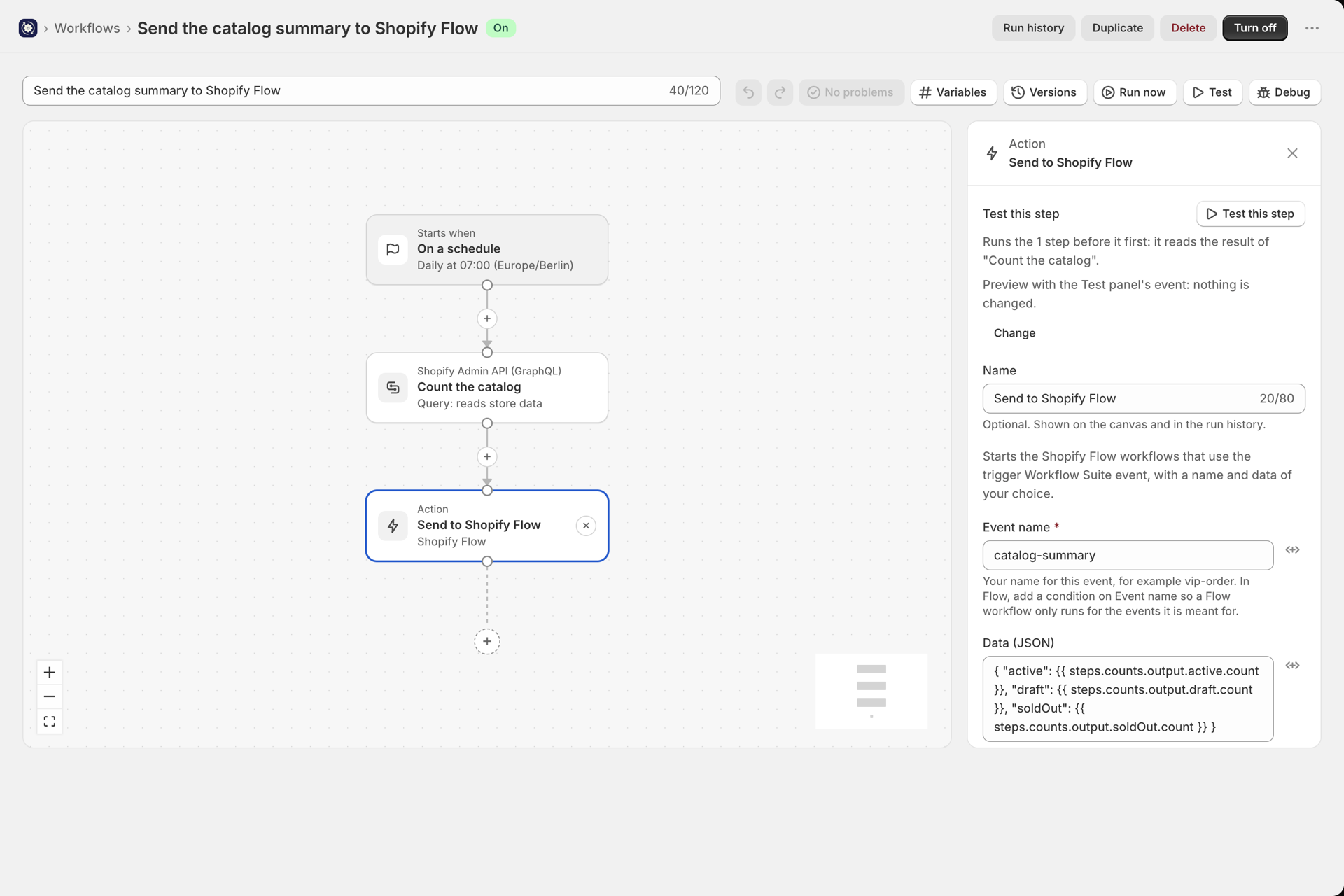
The action Send to Shopify Flow hands an event from a workflow to Shopify Flow. Every Flow workflow that uses the trigger Workflow Suite event and is turned on starts with the event name and the data you send. Use it when part of your automation lives in Flow, or when a Flow action does exactly what you need.
The other direction, a Flow workflow starting a Workflow Suite workflow, is Start a workflow from Shopify Flow.
What you need
- Shopify Flow installed on your store. It is free.
- In Flow, a workflow with the trigger Workflow Suite event that is turned on (step 2).
1. Add the step in Workflow Suite
- Press + and search for
flow. The action Send to Shopify Flow is in the Shopify view of the step picker, in the group Shopify Flow. - Fill in the fields:
| Field | What it does |
|---|---|
| Event name (required) | Your name for this event, for example catalog-summary. In Flow, a condition on Event name picks the events a Flow workflow is for |
| Data (JSON) | A JSON object. Flow gets every key as an entry of Data fields and the whole object as Data JSON. Every value can use variables |
| Resource ID | Optional: the Shopify id the event is about, for example an order |
{ "active": {{ steps.counts.output.active.count }}, "draft": {{ steps.counts.output.draft.count }} }The trigger of the workflow can be anything: a Shopify event, a change trigger, a schedule, an incoming webhook or Run now.
2. Build the Flow workflow
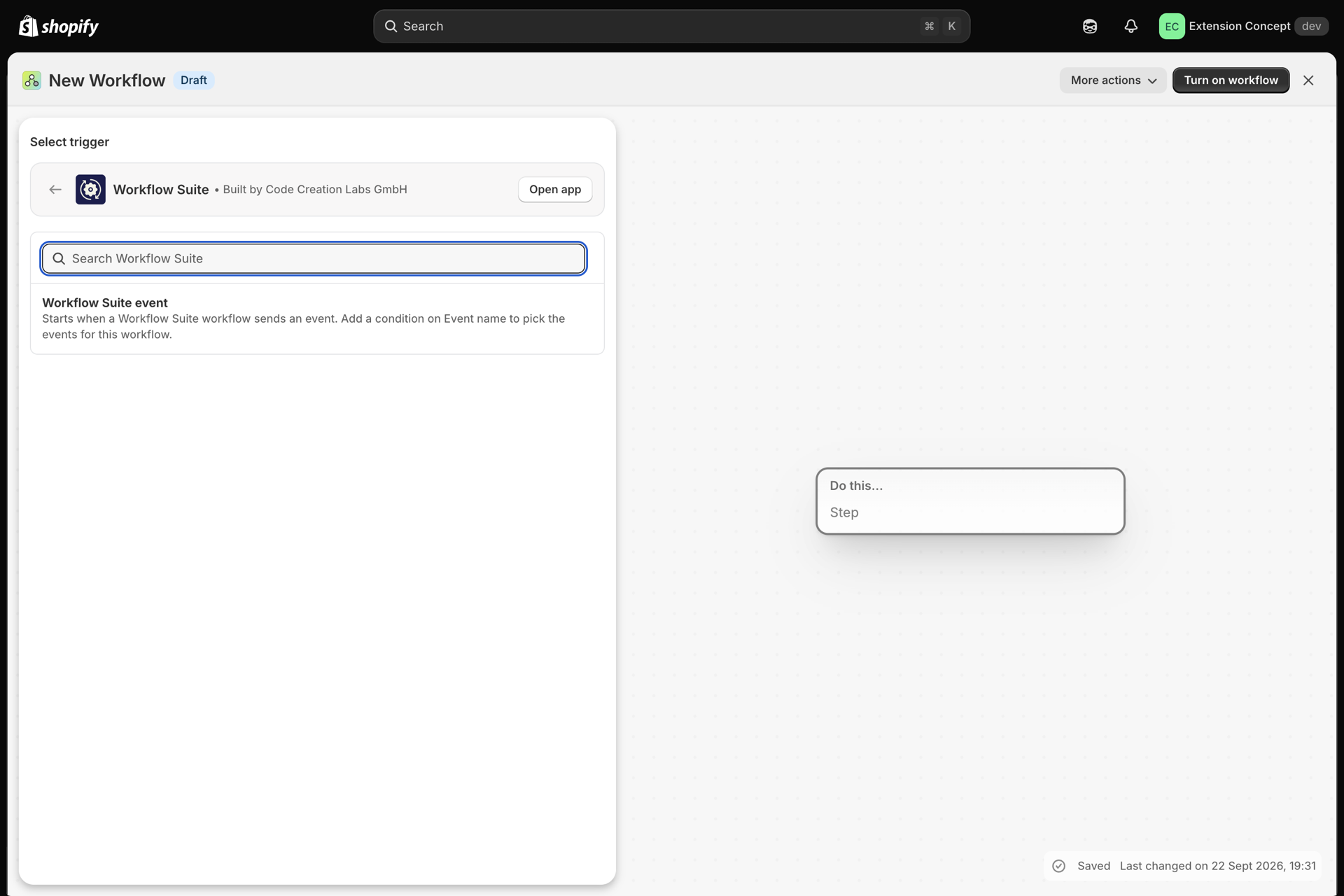
- In Shopify Flow, create a workflow. Select a trigger, open Workflow Suite and pick Workflow Suite event.
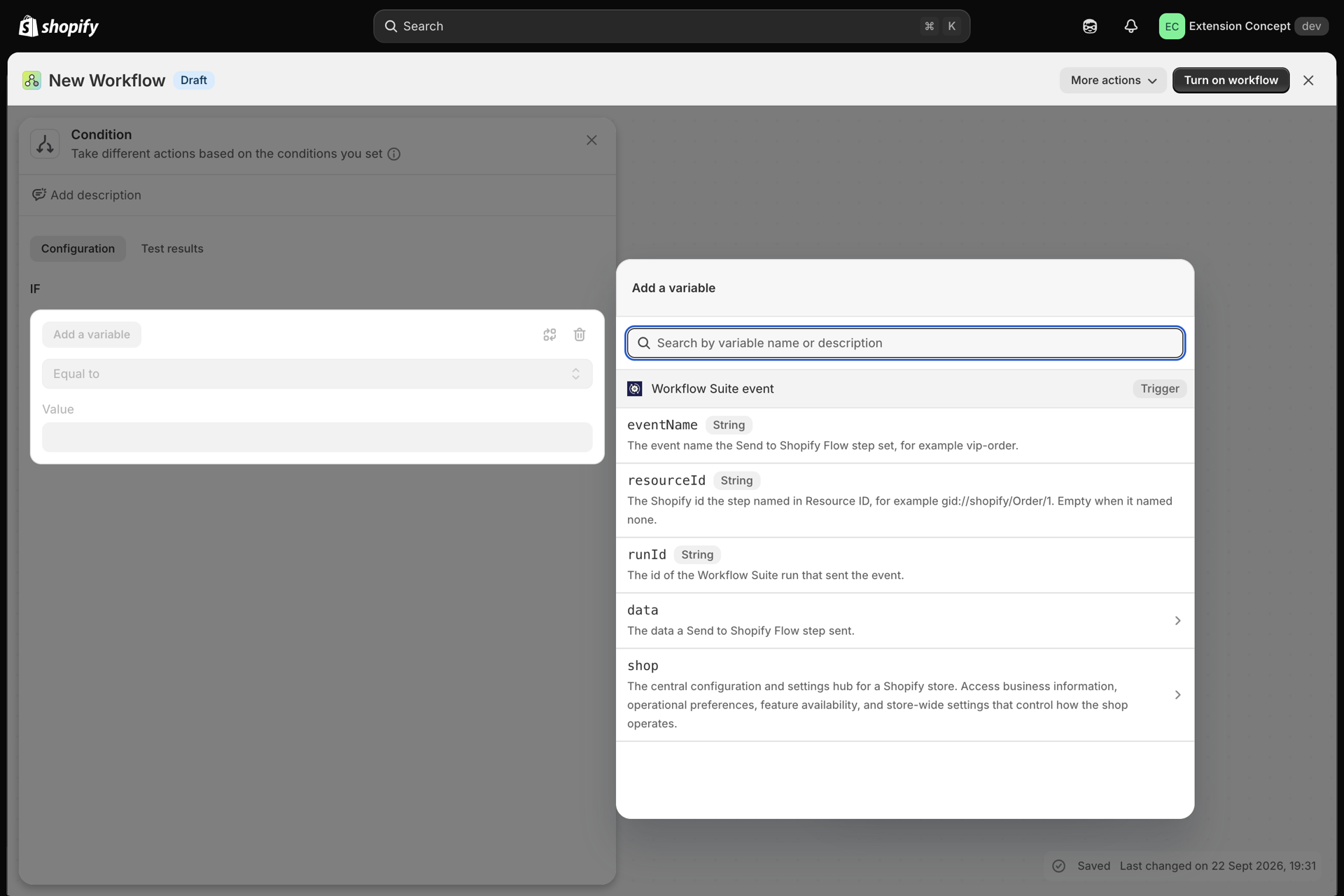
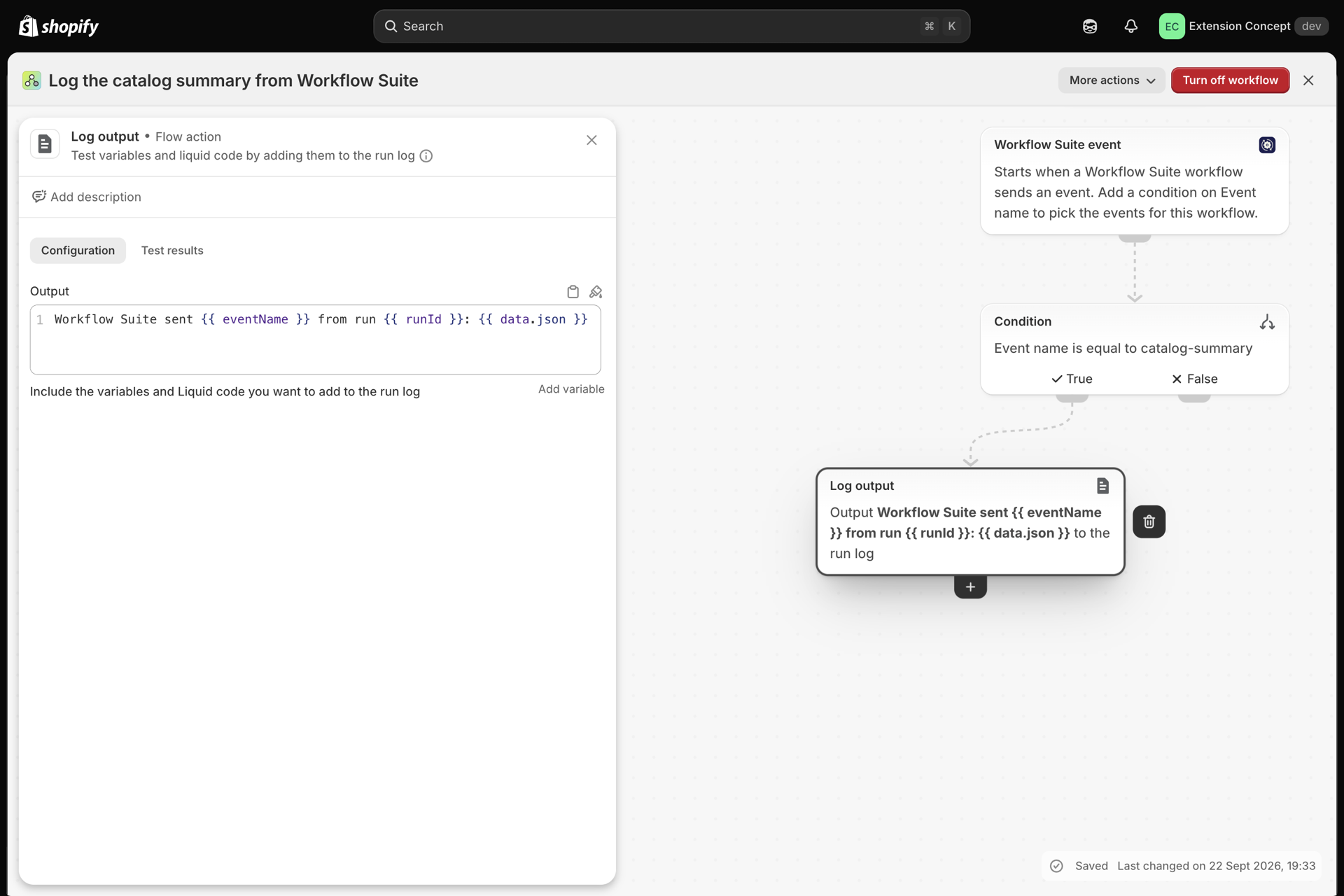
- Add a condition on Event name, for example Event name is equal to
catalog-summary. Without it, the Flow workflow starts for every event you send. - Add the Flow actions you need. The event's values are Flow variables:
| Variable | What it holds |
|---|---|
eventName |
The event name |
resourceId |
The Resource ID, or empty |
runId |
The id of the Workflow Suite run that sent it |
data.json |
The whole data object as JSON text |
data.fields |
A list with one entry per key: key and value (objects and lists as JSON text) |
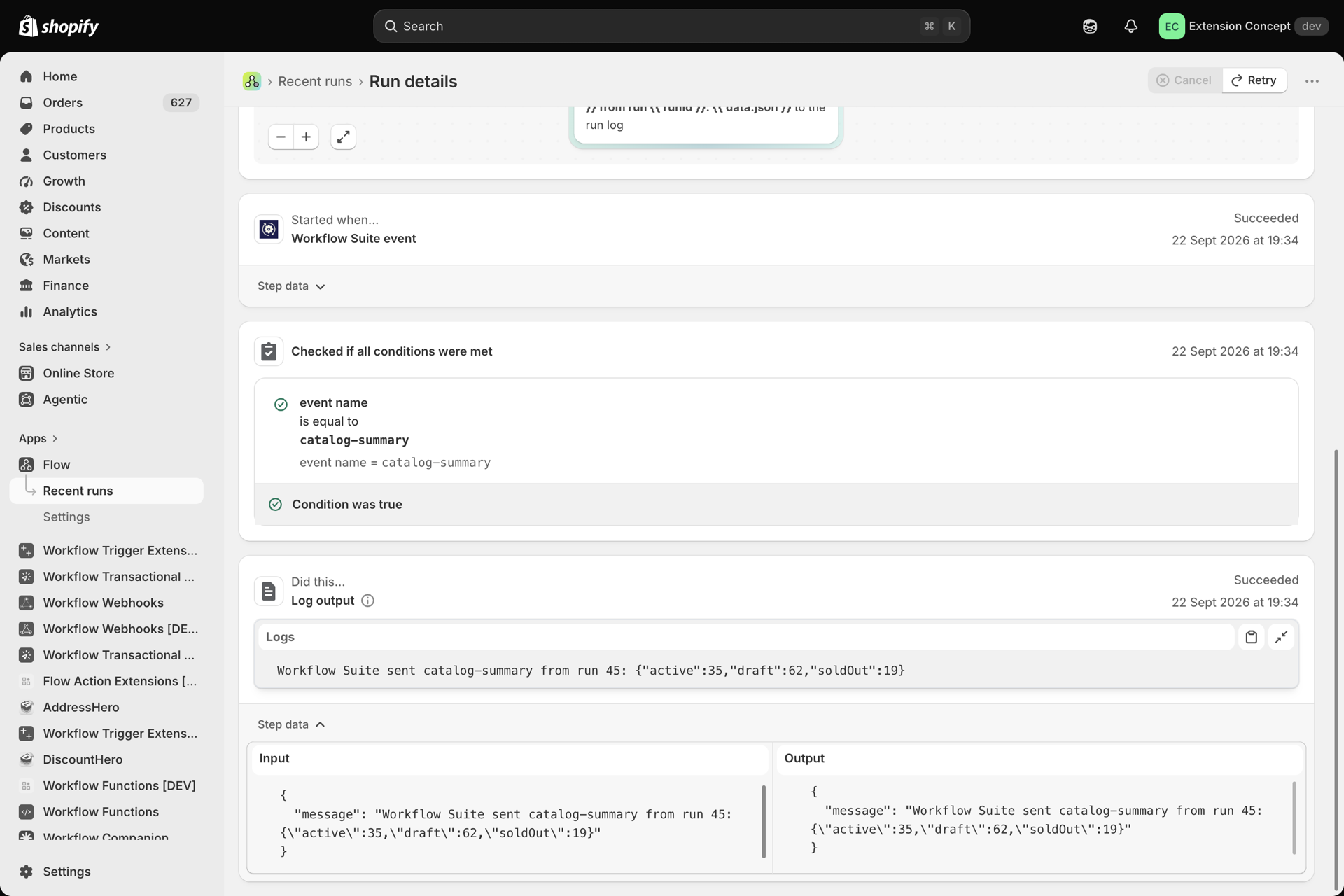
For example, Flow's Log output action with this message writes the whole event into the Flow run log:
Workflow Suite sent {{ eventName }} from run {{ runId }}: {{ data.json }}- Turn the Flow workflow on.
What happens when it runs
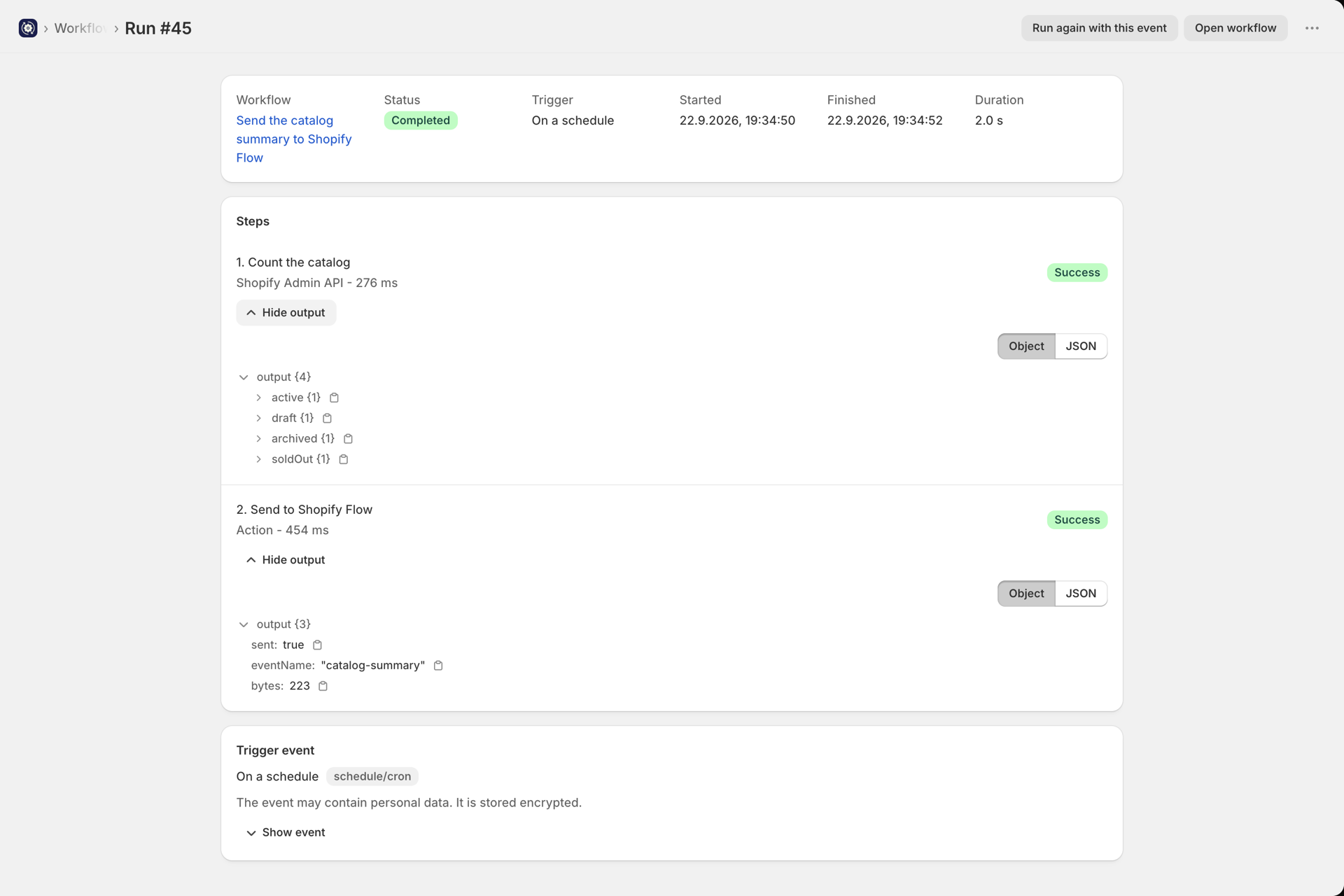
- The step finishes as soon as Flow has accepted the event. Flow runs its workflows on its own; you find them under Recent runs in Flow.
- The step returns
sent,eventNameandbytes(the size Flow received). - When no turned-on Flow workflow uses the trigger Workflow Suite event, Flow has told us so and the step sends nothing. It succeeds with
sent: falseand says why. - In a test or a preview nothing is sent: the step shows what it would send.
- Flow accepts at most 50,000 bytes per event. A larger event fails the step with its size; nothing is cut.
Loops between Workflow Suite and Flow
If the Flow workflow starts a Workflow Suite workflow again (with Run a Workflow Suite workflow), set Resource ID on both sides. Loop protection then stops a workflow that runs more than 10 times in 60 seconds for the same resource. See Loop protection.
Personal data
What you put into Data goes to Shopify Flow and is kept in Flow's run history. Only send what the Flow workflow needs.